
CSS Backgrounds
The CSS background properties are used to add background effects for elements.
In these chapters, you will learn about the following CSS background properties:
background-colorbackground-imagebackground-repeatbackground-attachmentbackground-positionbackground(shorthand property)
CSS background-color
The background-color property specifies the background color of an element.
Example
The background color of a page is set like this:
|
1 2 3 4 5 6 7 8 9 10 11 12 13 14 15 16 17 |
<!DOCTYPE html> <html> <head> <style> body { background-color: lightblue; } </style> </head> <body> <h1>Hello World!</h1> <p>This page has a light blue background color!</p> </body> </html> |

CSS background-image
The background-image property specifies an image to use as the background of an element.
By default, the image is repeated so it covers the entire element.
Example
Set the background image for a page:
|
1 2 3 4 5 6 7 8 9 10 11 12 13 14 15 16 17 |
<!DOCTYPE html> <html> <head> <style> body { background-image: url("paper.gif"); } </style> </head> <body> <h1>Hello World!</h1> <p>This page has an image as the background!</p> </body> </html> |

CSS background-repeat
The background-repeat property sets if/how a background image will be repeated.
By default, a background-image is repeated both vertically and horizontally.
Some images should be repeated only horizontally or vertically, or they will look strange, like this:
Example
|
1 2 3 4 5 6 7 8 9 10 11 12 13 14 15 16 |
<!DOCTYPE html> <html> <head> <style> body { background-image: url("gradient_bg.png"); } </style> </head> <body> <h1>Hello World!</h1> <p>Strange background image...</p> </body> </html> |

CSS background-repeat Horizontally
If the image above is repeated only horizontally (background-repeat: repeat-x;), the background will look better:
Example
|
1 2 3 4 5 6 7 8 9 10 11 12 13 14 15 16 17 |
<!DOCTYPE html> <html> <head> <style> body { background-image: url("gradient_bg.png"); background-repeat: repeat-x; } </style> </head> <body> <h1>Hello World!</h1> <p>Here, a background image is repeated only horizontally!</p> </body> </html> |

CSS background-repeat: no-repeat
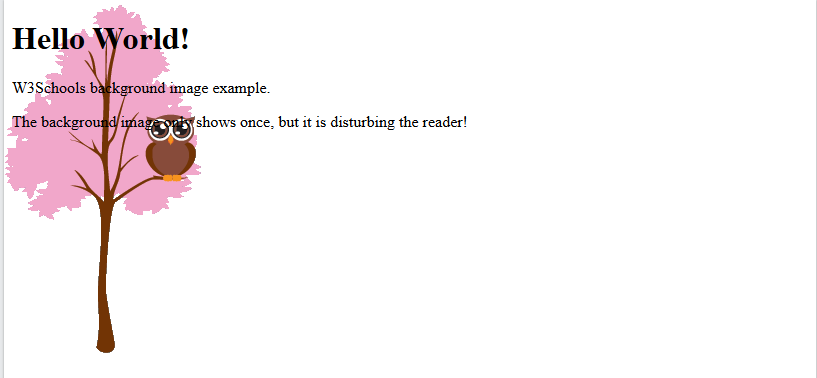
Showing the background image only once is also specified by the background-repeat property:
Example
Show the background image only once:
|
1 2 3 4 5 6 7 8 9 10 11 12 13 14 15 16 17 18 |
<!DOCTYPE html> <html> <head> <style> body { background-image: url("img_tree.png"); background-repeat: no-repeat; } </style> </head> <body> <h1>Hello World!</h1> <p>W3Schools background image example.</p> <p>The background image only shows once, but it is disturbing the reader!</p> </body> </html> |
CSS background-position
The background-position property is used to set the starting position of the background image.
By default, a background-image is placed at the top-left corner of an element.
Example
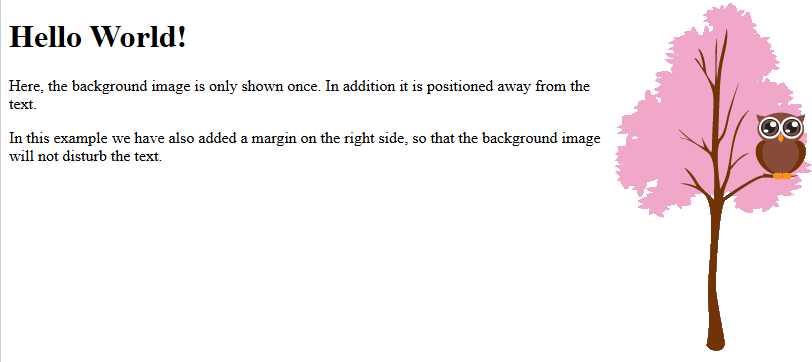
Position the background image in the top-right corner:
|
1 2 3 4 5 6 7 8 9 10 11 12 13 14 15 16 17 18 19 20 |
<!DOCTYPE html> <html> <head> <style> body { background-image: url("img_tree.png"); background-repeat: no-repeat; background-position: right top; margin-right: 200px; } </style> </head> <body> <h1>Hello World!</h1> <p>Here, the background image is only shown once. In addition it is positioned away from the text.</p> <p>In this example we have also added a margin on the right side, so that the background image will not disturb the text.</p> </body> </html> |
CSS background-attachment
The background-attachment property specifies whether the background image should scroll or be fixed (will not scroll with the rest of the page):
Example
Specify that the background image should be fixed:

Example
Specify that the background image should scroll with the rest of the page:

CSS background – Shorthand property
To shorten the code, it is possible to specify all the background properties in one single property. This is called a shorthand property.
Example
Use the shorthand property to set all the background properties in one declaration:
