
What is Multimedia?
Multimedia comes in many different formats. It can be almost anything you can hear or see, like images, music, sound, videos, records, films, animations, and more.
Web pages often contain multimedia elements of different types and formats.
Common Video Formats
 |
There are many video formats out there.
The MP4, WebM, and Ogg formats are supported by HTML. The MP4 format is recommended by YouTube. |
| Format | File | Description |
|---|---|---|
| MPEG | .mpg .mpeg |
MPEG. Developed by the Moving Pictures Expert Group. The first popular video format on the web. Not supported anymore in HTML. |
| AVI | .avi | AVI (Audio Video Interleave). Developed by Microsoft. Commonly used in video cameras and TV hardware. Plays well on Windows computers, but not in web browsers. |
| WMV | .wmv | WMV (Windows Media Video). Developed by Microsoft. Commonly used in video cameras and TV hardware. Plays well on Windows computers, but not in web browsers. |
| QuickTime | .mov | QuickTime. Developed by Apple. Commonly used in video cameras and TV hardware. Plays well on Apple computers, but not in web browsers. |
| RealVideo | .rm .ram |
RealVideo. Developed by Real Media to allow video streaming with low bandwidths. Does not play in web browsers. |
| Flash | .swf .flv |
Flash. Developed by Macromedia. Often requires an extra component (plug-in) to play in web browsers. |
| Ogg | .ogg | Theora Ogg. Developed by the Xiph.Org Foundation. Supported by HTML. |
| WebM | .webm | WebM. Developed by Mozilla, Opera, Adobe, and Google. Supported by HTML. |
| MPEG-4 or MP4 |
.mp4 | MP4. Developed by the Moving Pictures Expert Group. Commonly used in video cameras and TV hardware. Supported by all browsers and recommended by YouTube. |
Common Audio Formats
MP3 is the best format for compressed recorded music. The term MP3 has become synonymous with digital music.
If your website is about recorded music, MP3 is the choice.
| Format | File | Description |
|---|---|---|
| MIDI | .mid .midi |
MIDI (Musical Instrument Digital Interface). Main format for all electronic music devices like synthesizers and PC sound cards. MIDI files do not contain sound, but digital notes that can be played by electronics. Plays well on all computers and music hardware, but not in web browsers. |
| RealAudio | .rm .ram |
RealAudio. Developed by Real Media to allow streaming of audio with low bandwidths. Does not play in web browsers. |
| WMA | .wma | WMA (Windows Media Audio). Developed by Microsoft. Plays well on Windows computers, but not in web browsers. |
| AAC | .aac | AAC (Advanced Audio Coding). Developed by Apple as the default format for iTunes. Plays well on Apple computers, but not in web browsers. |
| WAV | .wav | WAV. Developed by IBM and Microsoft. Plays well on Windows, Macintosh, and Linux operating systems. Supported by HTML. |
| Ogg | .ogg | Ogg. Developed by the Xiph.Org Foundation. Supported by HTML. |
| MP3 | .mp3 | MP3 files are actually the sound part of MPEG files. MP3 is the most popular format for music players. Combines good compression (small files) with high quality. Supported by all browsers. |
| MP4 | .mp4 | MP4 is a video format, but can also be used for audio. Supported by all browsers. |
HTML Video
The HTML <video> element is used to show a video on a web page.
Example
|
1 2 3 4 5 6 7 8 9 10 11 12 |
<!DOCTYPE html> <html> <body> <video width="320" height="240" controls> <source src="movie.mp4" type="video/mp4"> <source src="movie.ogg" type="video/ogg"> Your browser does not support the video tag. </video> </body> </html> |
How it Works
The controls attribute adds video controls, like play, pause, and volume.
It is a good idea to always include width and height attributes. If height and width are not set, the page might flicker while the video loads.
The <source> element allows you to specify alternative video files which the browser may choose from. The browser will use the first recognized format.
The text between the <video> and </video> tags will only be displayed in browsers that do not support the <video> element.
HTML Video – Media Types
| File Format | Media Type |
|---|---|
| MP4 | video/mp4 |
| WebM | video/webm |
| Ogg | video/ogg |
HTML Video Tags
| Tag | Description |
|---|---|
| <video> | Defines a video or movie |
| <source> | Defines multiple media resources for media elements, such as <video> and <audio> |
| <track> | Defines text tracks in media players |
HTML Audio
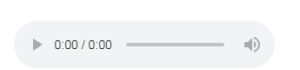
To play an audio file in HTML, use the <audio> element:
Example
|
1 2 3 4 5 6 7 8 9 10 11 12 |
<!DOCTYPE html> <html> <body> <audio controls> <source src="horse.ogg" type="audio/ogg"> <source src="horse.mp3" type="audio/mpeg"> Your browser does not support the audio element. </audio> </body> </html> |
Result
HTML Audio – How It Works
The controls attribute adds audio controls, like play, pause, and volume.
The <source> element allows you to specify alternative audio files which the browser may choose from. The browser will use the first recognized format.
The text between the <audio> and </audio> tags will only be displayed in browsers that do not support the <audio> element.
HTML Audio – Media Types
| File Format | Media Type |
|---|---|
| MP3 | audio/mpeg |
| OGG | audio/ogg |
| WAV | audio/wav |
HTML Audio Tags
| Tag | Description |
|---|---|
| <audio> | Defines sound content |
| <source> | Defines multiple media resources for media elements, such as <video> and <audio> |
HTML <track> Tag
Definition and Usage
The <track> tag specifies text tracks for <audio> or <video> elements.
This element is used to specify subtitles, caption files or other files containing text, that should be visible when the media is playing.
Tracks are formatted in WebVTT format (.vtt files).
Example
|
1 2 3 4 5 6 |
<video width="320" height="240" controls> <source src="forrest_gump.mp4" type="video/mp4"> <source src="forrest_gump.ogg" type="video/ogg"> <track src="fgsubtitles_en.vtt" kind="subtitles" srclang="en" label="English"> <track src="fgsubtitles_no.vtt" kind="subtitles" srclang="no" label="Norwegian"> </video> |