CSS Positioning
CSS positioning is about controlling the placement of elements within a web page.
With CSS positioning, you can override the normal document flow.
The CSS position Property
The position property specifies the positioning type for an element.
This property can have one of the following values:
static– This is default. Element is positioned according to the normal document flowrelative– Element is positioned relative to its normal position in the document flowfixed– Element is positioned relative to the viewportabsolute– Element is positioned relative to the nearest positioned ancestorsticky– Element toggles between a relative and fixed position, depending on the scroll position
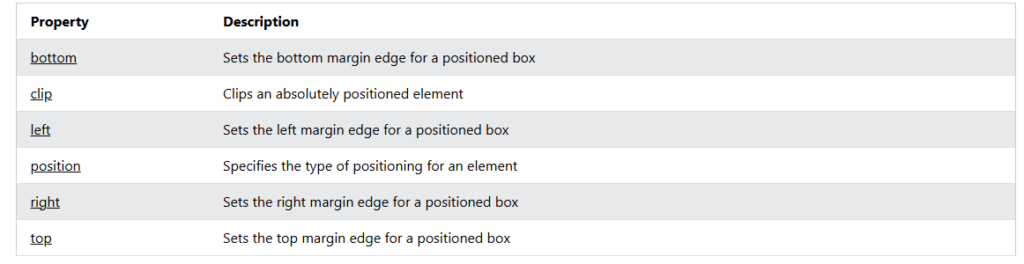
Elements are then positioned to their final location with the top, bottom, left, and right properties.
CSS position: static
All HTML elements are positioned static by default.
Static positioned elements are not affected by the top, bottom, left, and right properties.
An element with position: static; is always positioned according to the normal flow of the page:
|
1 2 3 4 5 6 7 8 9 10 11 12 13 14 15 16 17 18 19 20 21 22 |
<!DOCTYPE html> <html> <head> <style> div.static { position: static; border: 3px solid #73AD21; } </style> </head> <body> <h2>Using position: static;</h2> <p>An element with position: static; is always positioned according to the normal flow of the page:</p> <div class="static"> This div element has position: static; </div> </body> </html> |

CSS position: relative
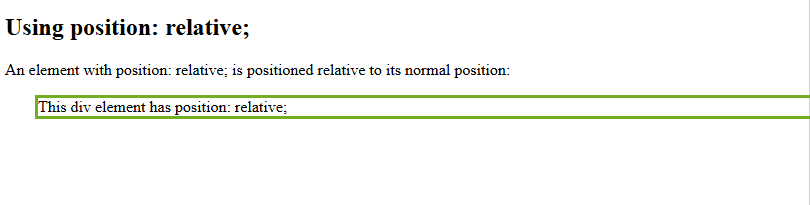
An element with position: relative; is positioned relative to its normal position in the document flow.
Setting the top, right, bottom, and left properties will cause the element to be adjusted away from its normal position. Other content will not be adjusted to fit into any gap left by the element.
|
1 2 3 4 5 6 7 8 9 10 11 12 13 14 15 16 17 18 19 20 21 22 23 |
<!DOCTYPE html> <html> <head> <style> div.relative { position: relative; left: 30px; border: 3px solid #73AD21; } </style> </head> <body> <h2>Using position: relative;</h2> <p>An element with position: relative; is positioned relative to its normal position:</p> <div class="relative"> This div element has position: relative; </div> </body> </html> |
CSS position: fixed
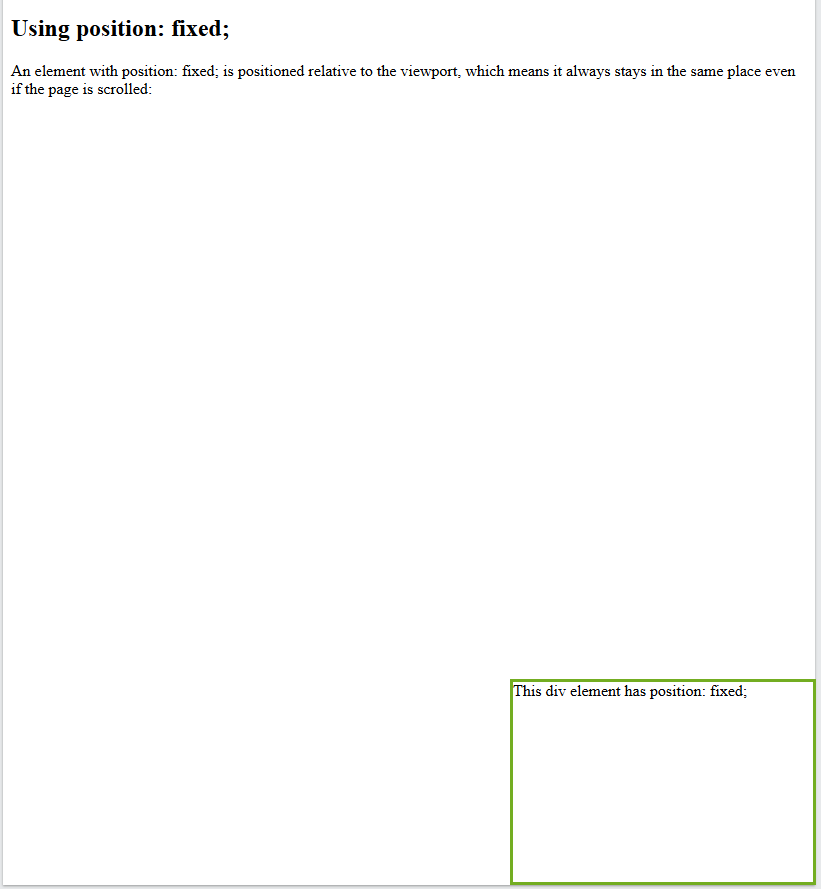
An element with position: fixed; is positioned relative to the viewport, which means it always stays in the same place even if the page is scrolled. The top, right, bottom, and left properties are used set the final location of the element.
A fixed element does not leave a gap in the page where it would normally have been located.
position: fixed;Notice the fixed element in the lower-right corner of the page. Here is the CSS that is used:
|
1 2 3 4 5 6 7 8 9 10 11 12 13 14 15 16 17 18 19 20 21 22 23 24 25 26 |
<!DOCTYPE html> <html> <head> <style> div.fixed { position: fixed; bottom: 0; right: 0; width: 300px; height: 200px; border: 3px solid #73AD21; } </style> </head> <body> <h2>Using position: fixed;</h2> <p>An element with position: fixed; is positioned relative to the viewport, which means it always stays in the same place even if the page is scrolled:</p> <div class="fixed"> This div element has position: fixed; </div> </body> </html> |
CSS position: absolute
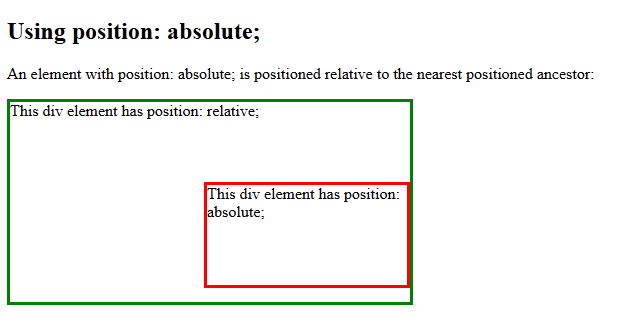
An element with position: absolute; is positioned relative to the nearest positioned ancestor (with position other than static).
However; if an absolute positioned element has no positioned ancestors, it uses the document body, and moves along with page scrolling.
Note: Absolute positioned elements are removed from the normal document flow, and can overlap other elements.
Here is a simple example:
|
1 2 3 4 5 6 7 8 9 10 11 12 13 14 15 16 17 18 19 20 21 22 23 24 25 26 27 28 29 30 31 32 33 |
<!DOCTYPE html> <html> <head> <style> div.relative { position: relative; width: 400px; height: 200px; border: 3px solid green; } div.absolute { position: absolute; top: 80px; right: 0; width: 200px; height: 100px; border: 3px solid red; } </style> </head> <body> <h2>Using position: absolute;</h2> <p>An element with position: absolute; is positioned relative to the nearest positioned ancestor:</p> <div class="relative">This div element has position: relative; <div class="absolute">This div element has position: absolute;</div> </div> </body> </html> |
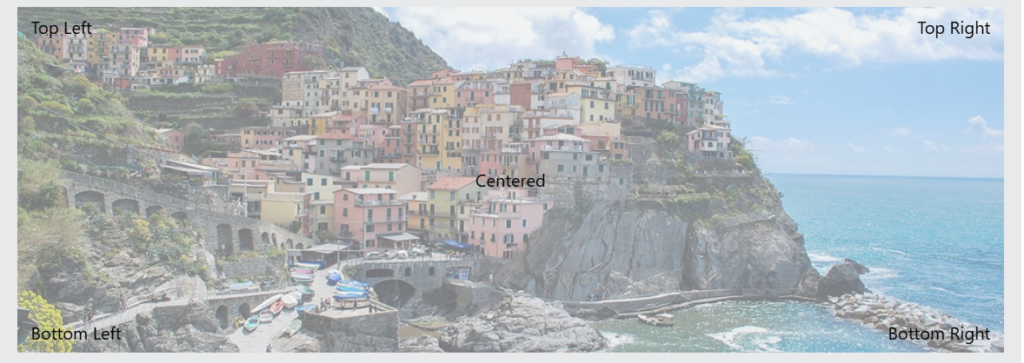
Positioning Text On an Image
How to position text on an image:
CSS position: sticky
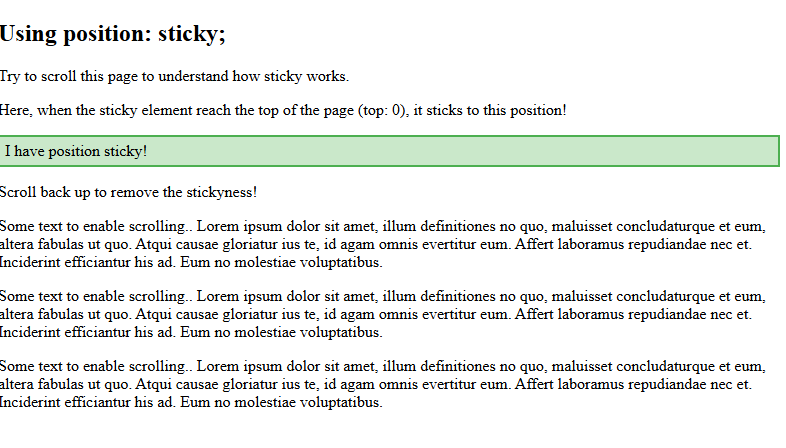
An element with position: sticky; toggles between a relative and fixed position, depending on the scroll position.
A sticky element is positioned relative until a certain scroll position is reached – then it “sticks” in that place (like position:fixed).
|
1 2 3 4 5 6 7 8 9 10 11 12 13 14 15 16 17 18 19 20 21 22 23 24 25 26 27 28 29 30 31 32 |
<!DOCTYPE html> <html> <head> <style> div.sticky { position: sticky; top: 0; padding: 5px; background-color: #cae8ca; border: 2px solid #4CAF50; } </style> </head> <body> <h2>Using position: sticky;</h2> <p>Try to scroll this page to understand how sticky works.</p> <p>Here, when the sticky element reach the top of the page (top: 0), it sticks to this position!</p> <div class="sticky">I have position sticky!</div> <div style="padding-bottom:2000px"> <p>Scroll back up to remove the stickyness!</p> <p>Some text to enable scrolling.. Lorem ipsum dolor sit amet, illum definitiones no quo, maluisset concludaturque et eum, altera fabulas ut quo. Atqui causae gloriatur ius te, id agam omnis evertitur eum. Affert laboramus repudiandae nec et. Inciderint efficiantur his ad. Eum no molestiae voluptatibus.</p> <p>Some text to enable scrolling.. Lorem ipsum dolor sit amet, illum definitiones no quo, maluisset concludaturque et eum, altera fabulas ut quo. Atqui causae gloriatur ius te, id agam omnis evertitur eum. Affert laboramus repudiandae nec et. Inciderint efficiantur his ad. Eum no molestiae voluptatibus.</p> <p>Some text to enable scrolling.. Lorem ipsum dolor sit amet, illum definitiones no quo, maluisset concludaturque et eum, altera fabulas ut quo. Atqui causae gloriatur ius te, id agam omnis evertitur eum. Affert laboramus repudiandae nec et. Inciderint efficiantur his ad. Eum no molestiae voluptatibus.</p> </div> </body> </html> |
All CSS Positioning Properties